Photometer verification

Process photometer verification with MT-1

Verify photometric performance through a guided, traceable and documented workflow.

MT-1 guides the operator through the complete photometer verification process, from selecting the verification filter set to automatic pass/fail evaluation and PDF report generation.

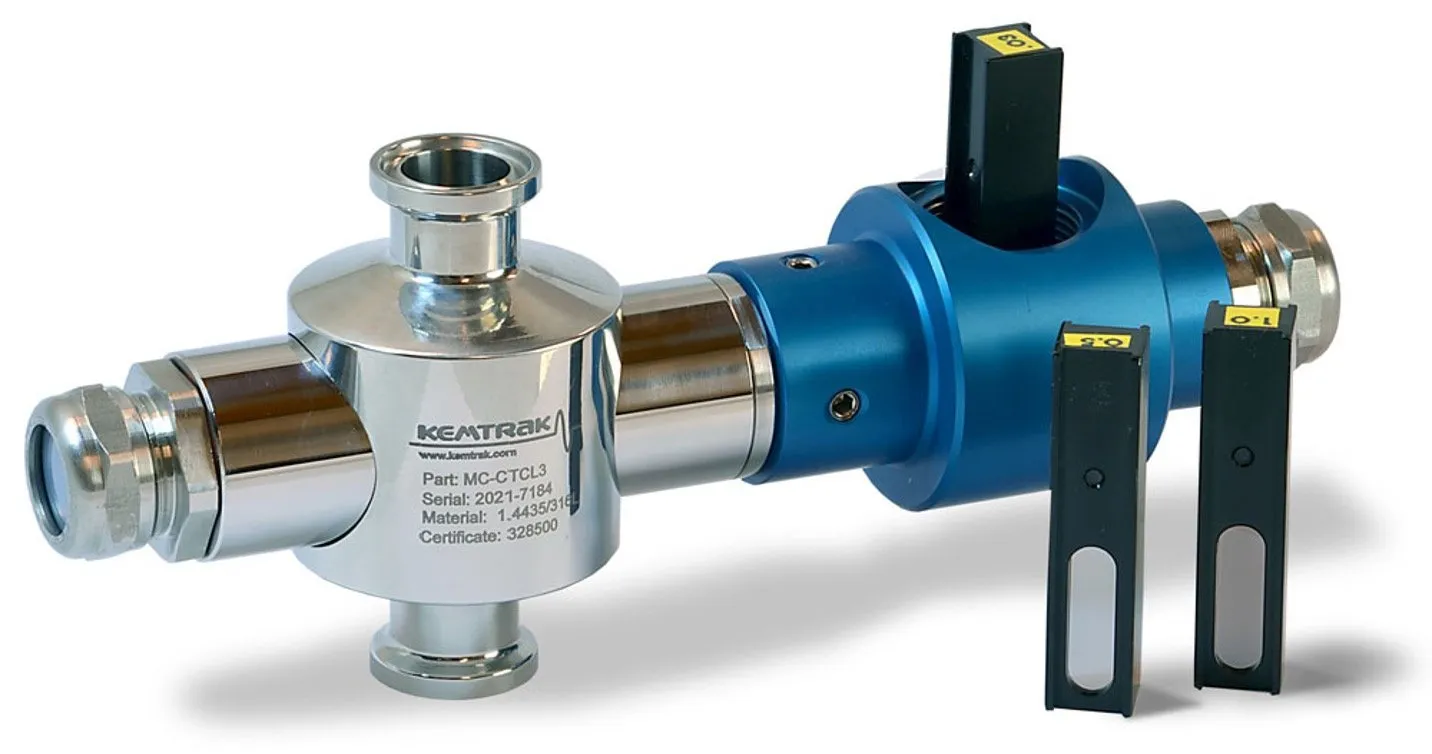
For compatible Kemtrak process photometers, traceable absorption filters can be inserted into an external verification holder directly in the optical path. This allows verification without removing the measurement cell from the process line and without exposing the wetted process surfaces to verification materials.

Kemtrak process photometer cell with an external verification filter holder

Non-intrusive verification without contaminating wetted parts

For compatible Kemtrak process photometers, the verification accessory places a certified absorption filter directly in the optical path outside the wetted process volume.

When the process cell is empty, the filter can be inserted into the external holder and measured through the installed optical system.

Advantages
  • No removal of the process measurement cell
  • No need to introduce verification liquid into wetted parts
  • Reduced contamination risk
  • Less disturbance to the validated installation
  • Easier routine verification
  • Verification of the installed optical measurement chain
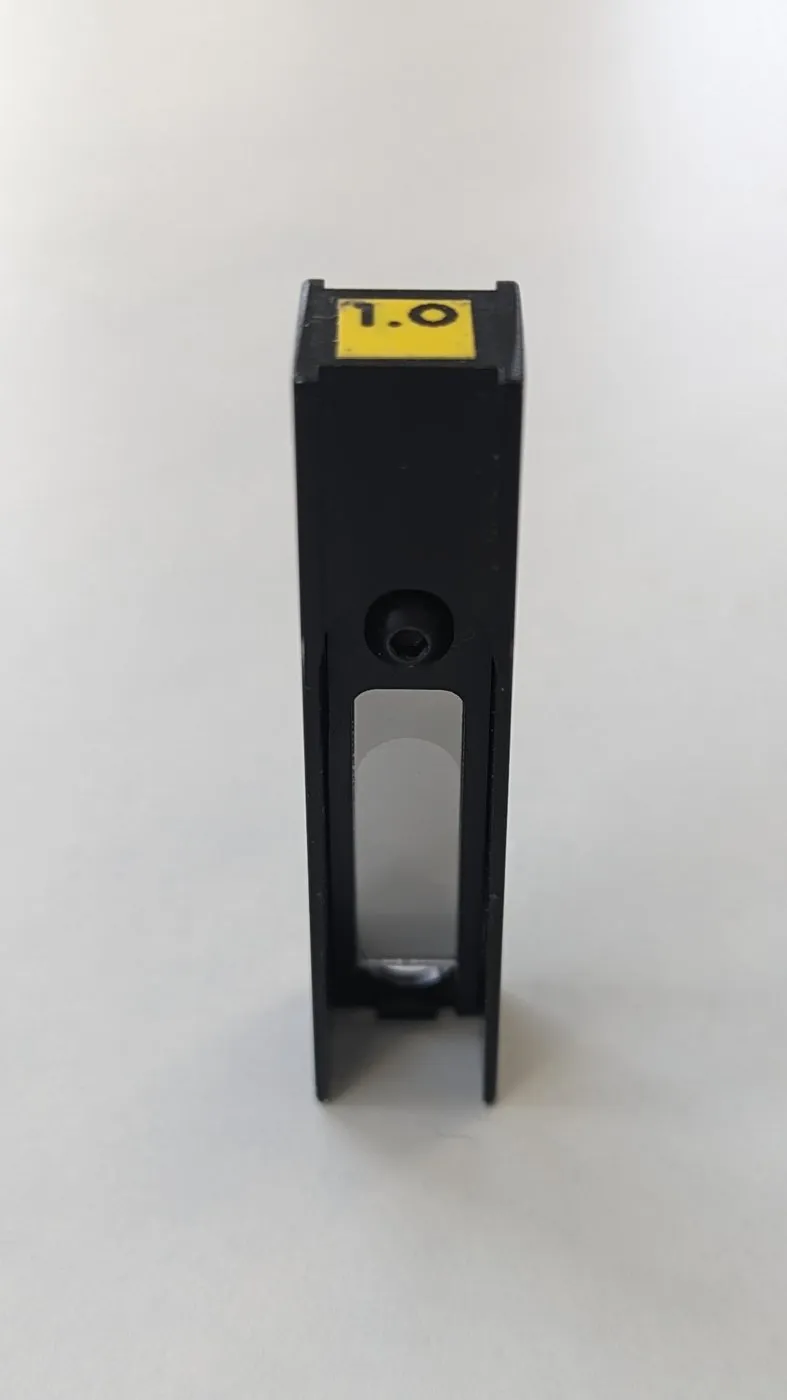
Certified absorption reference filter for photometer verification

Why photometer verification becomes difficult

MT-1 brings the complete verification procedure into one controlled digital workflow.
Typical manual problems
  • Separate procedures
  • Manual reference filter identification
  • Manual value recording
  • Manual deviation calculation
  • Inconsistent acceptance evaluation
  • Separate report preparation
  • Operator-dependent documentation
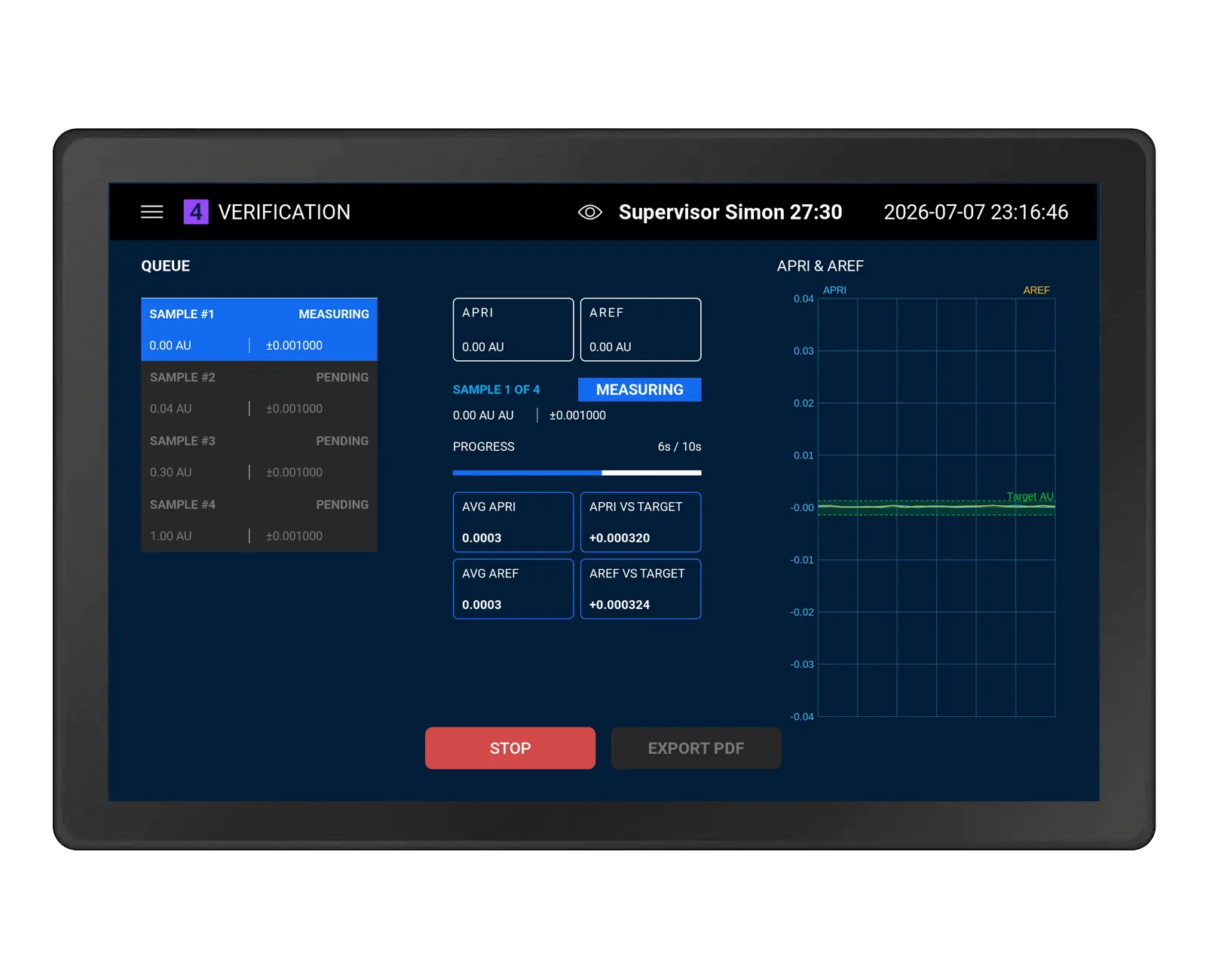
MT-1 photometer verification screen with live absorbance values

How the workflow works

01

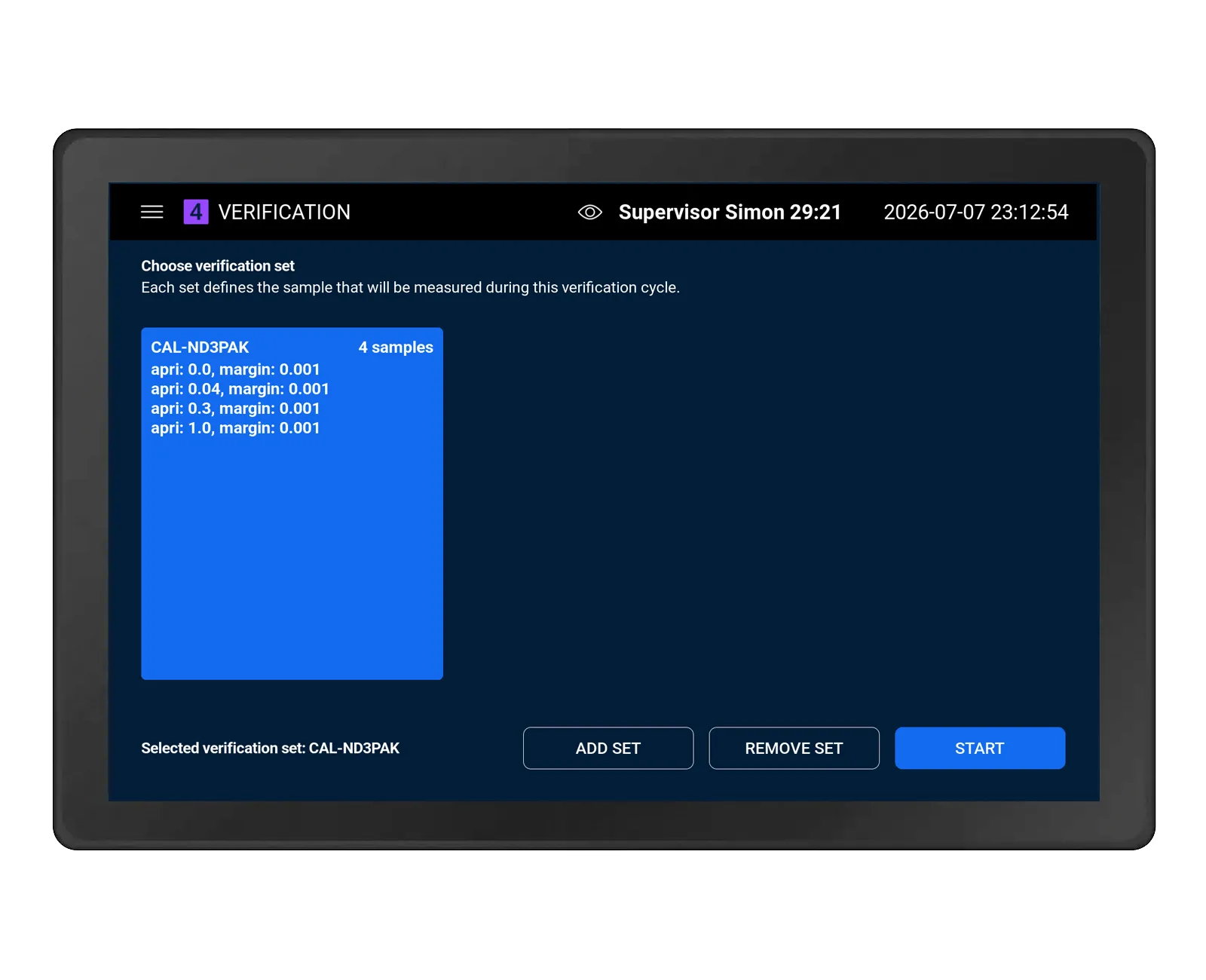
Choose a verification filter set

Select a predefined set containing filter identification, target absorbance values, tolerances and the applicable measurement wavelength.

MT-1 screen for choosing a verification filter set
02

Insert the reference filter

Place the selected absorption filter into the verification holder.

Reference absorption filter ready to insert into the holder
03

Monitor the measurement

MT-1 displays live measurement values and allows the result to stabilize. Measure the reference sample when it is stable.

MT-1 screen with live absorbance during verification
04

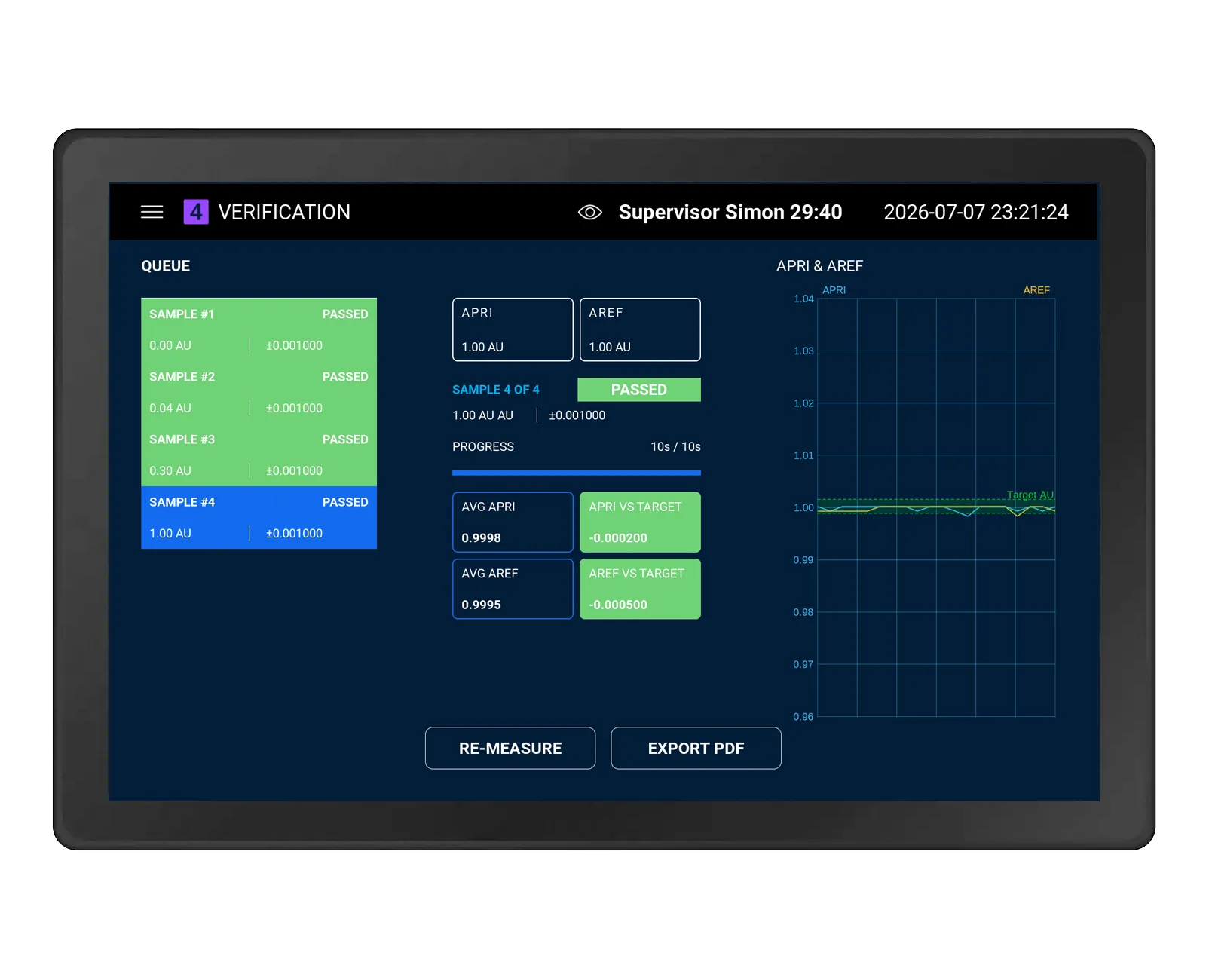
Calculate and evaluate the result

Each measured value is compared with the defined target and acceptance tolerance.

MT-1 screen with deviation and pass/fail result
05

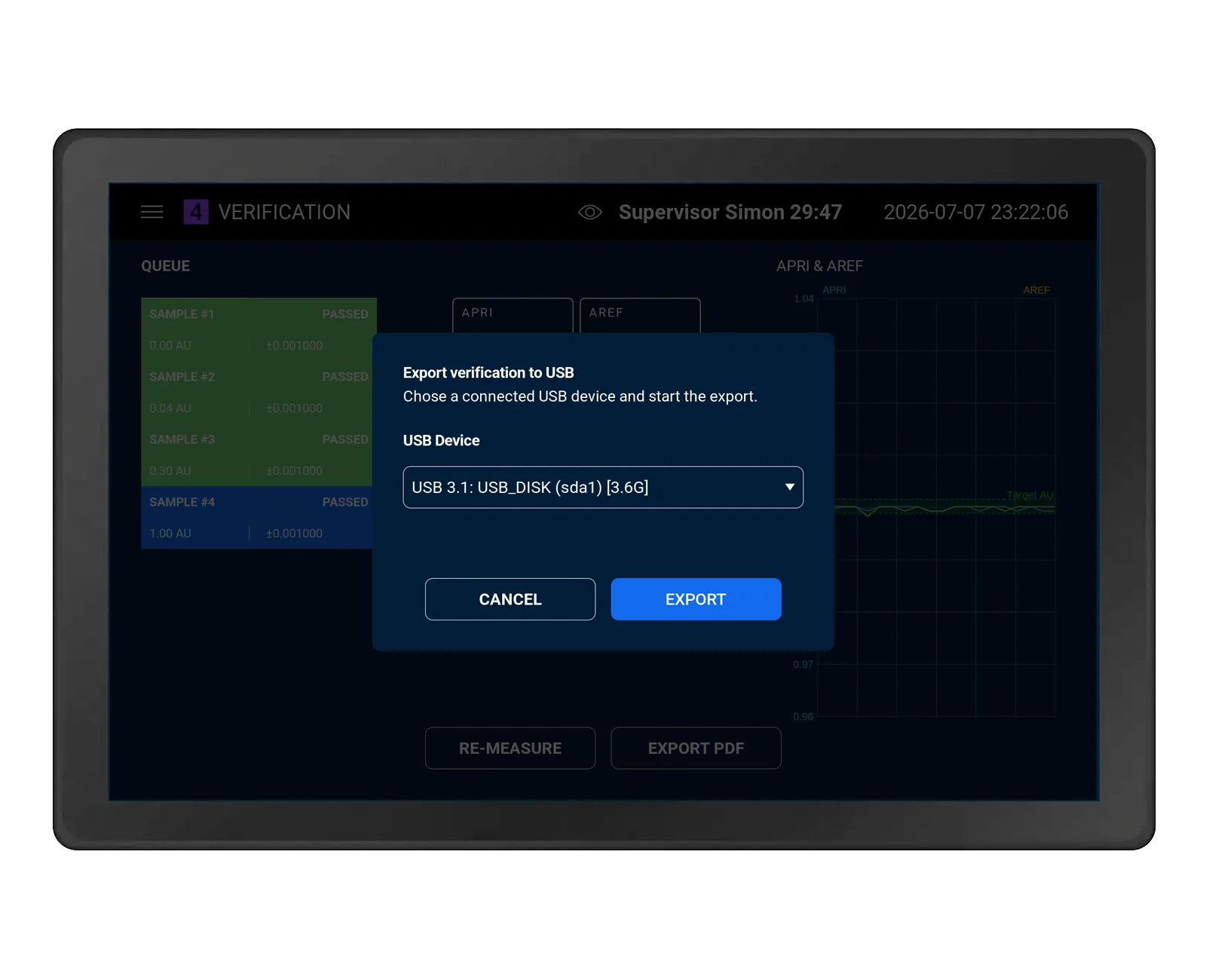
Generate the verification report

MT-1 generates a PDF report containing the results, date, time and logged-in operator information.

MT-1 screen exporting the photometer verification report

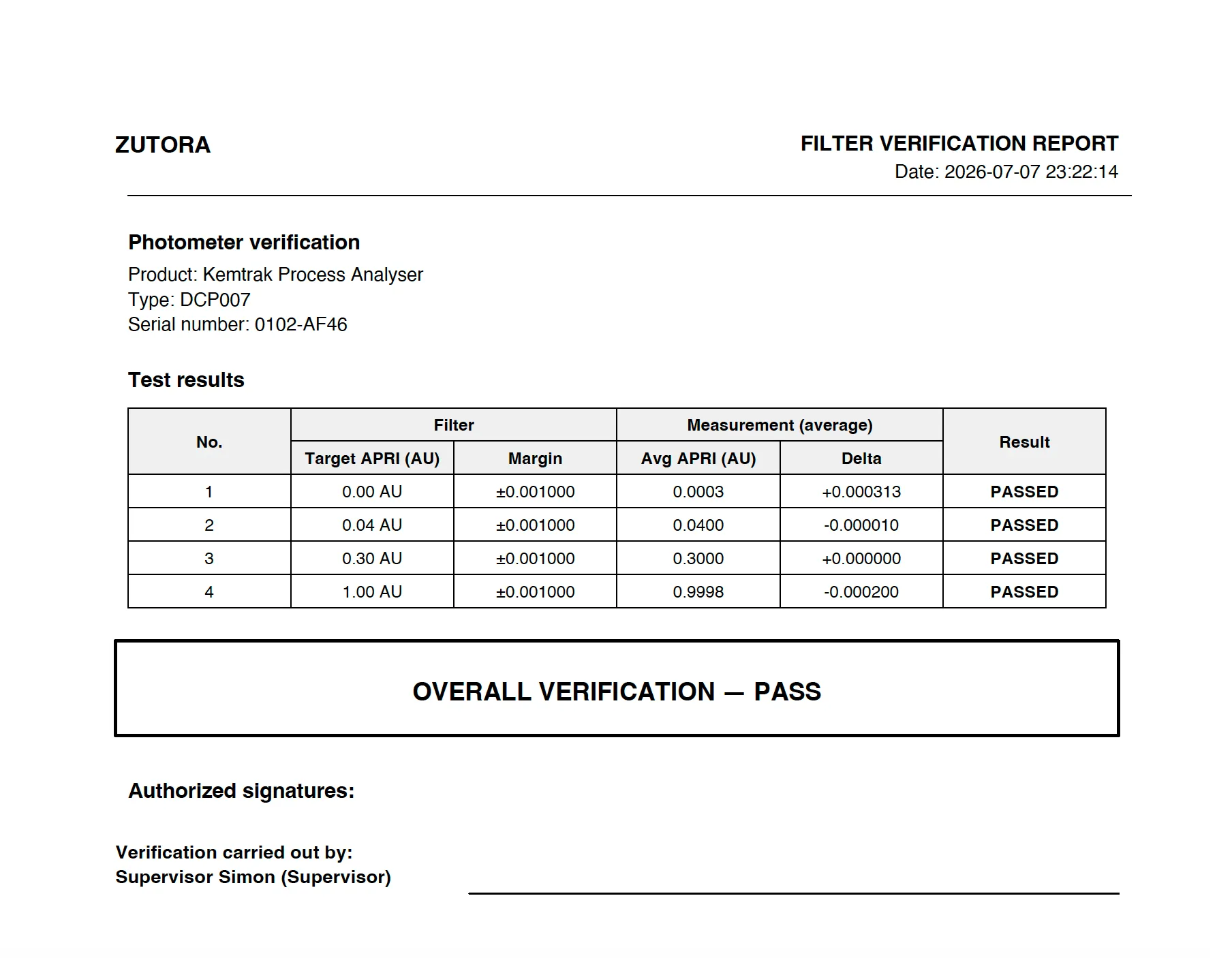
A complete documented verification result

After completion, MT-1 can generate a PDF verification report.

The report contains
  • Verification date and time
  • Instrument identification
  • Selected verification filter set
  • Filter identification
  • Target values and tolerances
  • Measured values
  • Deviation
  • Individual pass/fail results
  • Overall verification result
  • Logged-in operator name
PDF photometer verification report generated by MT-1

Key benefits

01

Guided procedure

Every operator follows the same defined sequence.

02

Configurable filter sets

Different reference filters, wavelengths and tolerances can be managed in the system.

03

Automatic evaluation

MT-1 calculates the deviation and evaluates the result against predefined limits.

04

Operator traceability

The logged-in user is identified in the verification record and report.

05

Immediate documentation

A PDF verification report is created directly from the completed procedure.

06

Non-intrusive Kemtrak verification

Compatible Kemtrak cells can use an external verification holder so reference filters do not contact wetted process surfaces.

Frequently asked questions

What is process photometer verification?

Process photometer verification checks whether the installed instrument continues to measure within defined acceptance limits by comparing its response with known reference filters.

MT-1 turns this into a guided digital workflow with predefined verification filter sets, automatic result evaluation, operator identification and documented PDF reporting.

Is verification the same as calibration?

No. Verification checks whether the photometer is still performing within defined acceptance limits. Calibration establishes or adjusts the relationship between the instrument response and the reference value.

The MT-1 workflow is designed to guide, evaluate and document the verification process.

How does the MT-1 photometer verification workflow work?

The operator selects a predefined verification filter set and measures the reference filters one by one.

MT-1 guides the operator through the procedure, records the photometric measurement, compares the result with the defined reference value and tolerance, and automatically evaluates the result as pass or fail.

Individual measurements can be repeated where necessary, and a PDF verification report can be generated after completion.

Can users define their own verification filter sets?

Yes. Authorized users can define and manage verification filter sets according to the applicable instrument, wavelength and quality procedure. A verification set can include information such as:

  • filter identification
  • target absorbance or optical value
  • allowable deviation
  • applicable wavelength

The appropriate set can then be selected before starting a verification procedure.

Does the photometer need to be removed from the process?

For compatible Kemtrak installations, no.

An external verification filter holder can be mounted in the optical path of the installed measurement cell. When the process cell is empty, the reference filter can be inserted into the external holder and measured without removing the process measurement cell from the line.

Do the verification filters contact the process or wetted parts?

For compatible Kemtrak installations using the external verification holder, no.

The reference filter is placed outside the wetted process volume and does not contact the process-facing surfaces of the measurement cell. This can be especially valuable in pharma and other hygienic applications where avoiding contamination of wetted parts is important.

What does MT-1 add to the Kemtrak verification hardware?

The Kemtrak verification accessory provides the physical method for placing a known reference filter in the optical path of the installed photometer. MT-1 adds the digital workflow around this process, including:

  • predefined verification filter sets
  • guided measurement steps
  • automatic measurement capture
  • automatic deviation calculation
  • automatic pass/fail evaluation
  • operator identification
  • audit trail
  • PDF report generation

Together, the hardware and software create a repeatable and documented verification procedure.

Make photometer verification easier to execute and document

MT-1 turns process photometer verification into a guided digital workflow with configurable filter sets, automatic pass/fail evaluation, operator traceability and PDF reporting. For compatible Kemtrak installations, verification can be performed without removing the measurement cell and without exposing wetted parts to verification materials.

Headquarters

Zutora Informatikai Kft.
Vaskapu utca 20.
1097 Budapest
Hungary
info@zutora.com · (+36) 30 688 8757

Local representatives

Mexico & Central America · France & Africa · Germany · Poland · Austria · Australia · South Africa · Southeast Asia · Turkey